

Issues and troubleshooting
- If complex conditions have been applied to a Scheduled segment and it takes over 24 hours to calculate the data, the platform will pause the calculation for 24 hours and add an issue on the Campaign & Data monitoring page:
- Simplify the segment filters (refer to this guide for more info);
- Split your filter conditions into multiple Scheduled segments.
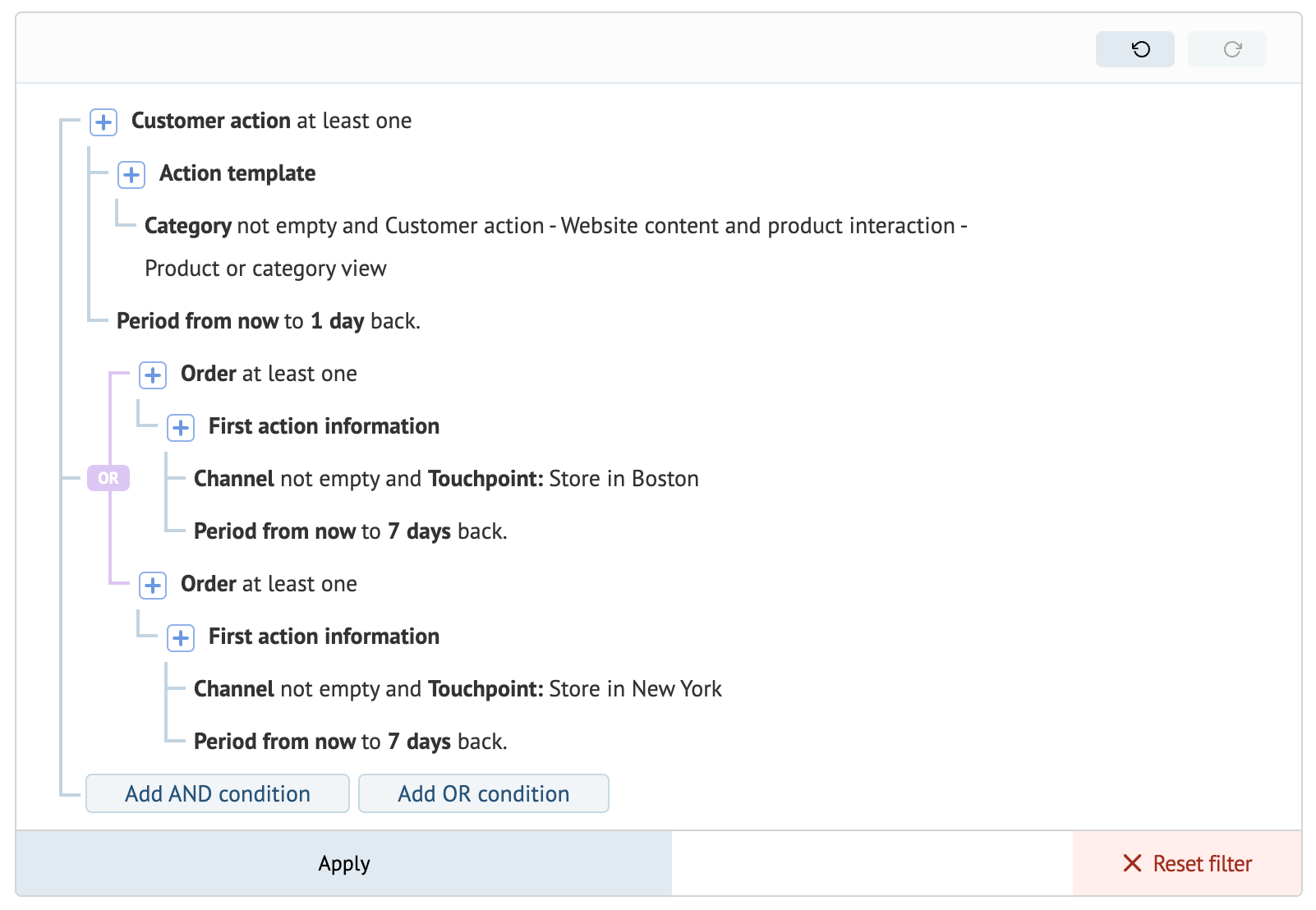
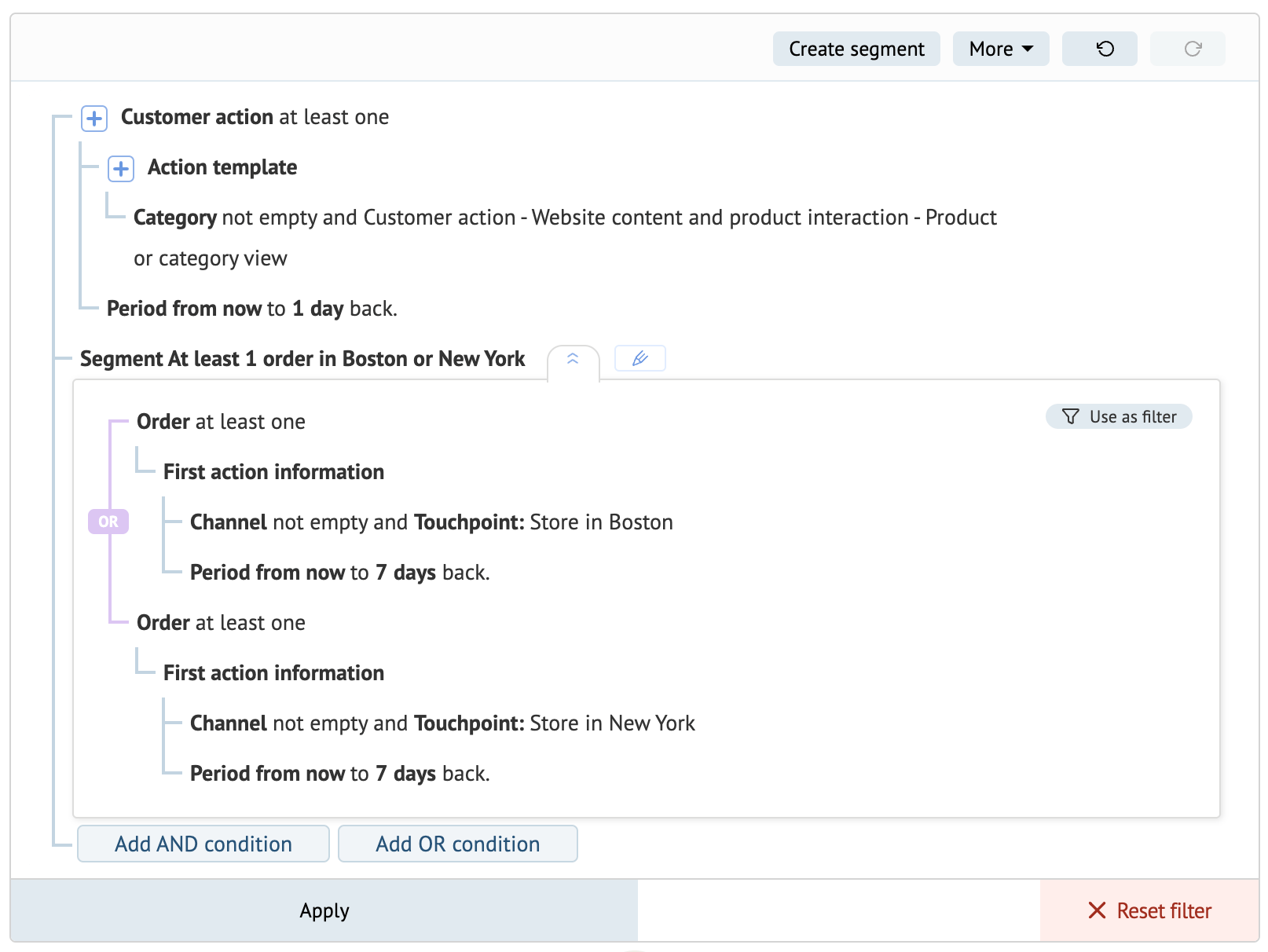
Here, we combined conditions of the same type into a Scheduled segment. We then created another Scheduled segment containing the first segment.
- If you’re using multiple real-time events in your Scheduled segment for recalculation or it contains a lot of complex conditions, it may take more time than usual to update. In this case, an issue will be added on the Campaign & Data monitoring page:
- Simplifying the segment filter (refer to this guide for more info).
- Consider splitting conditions into multiple Scheduled segments. For example:
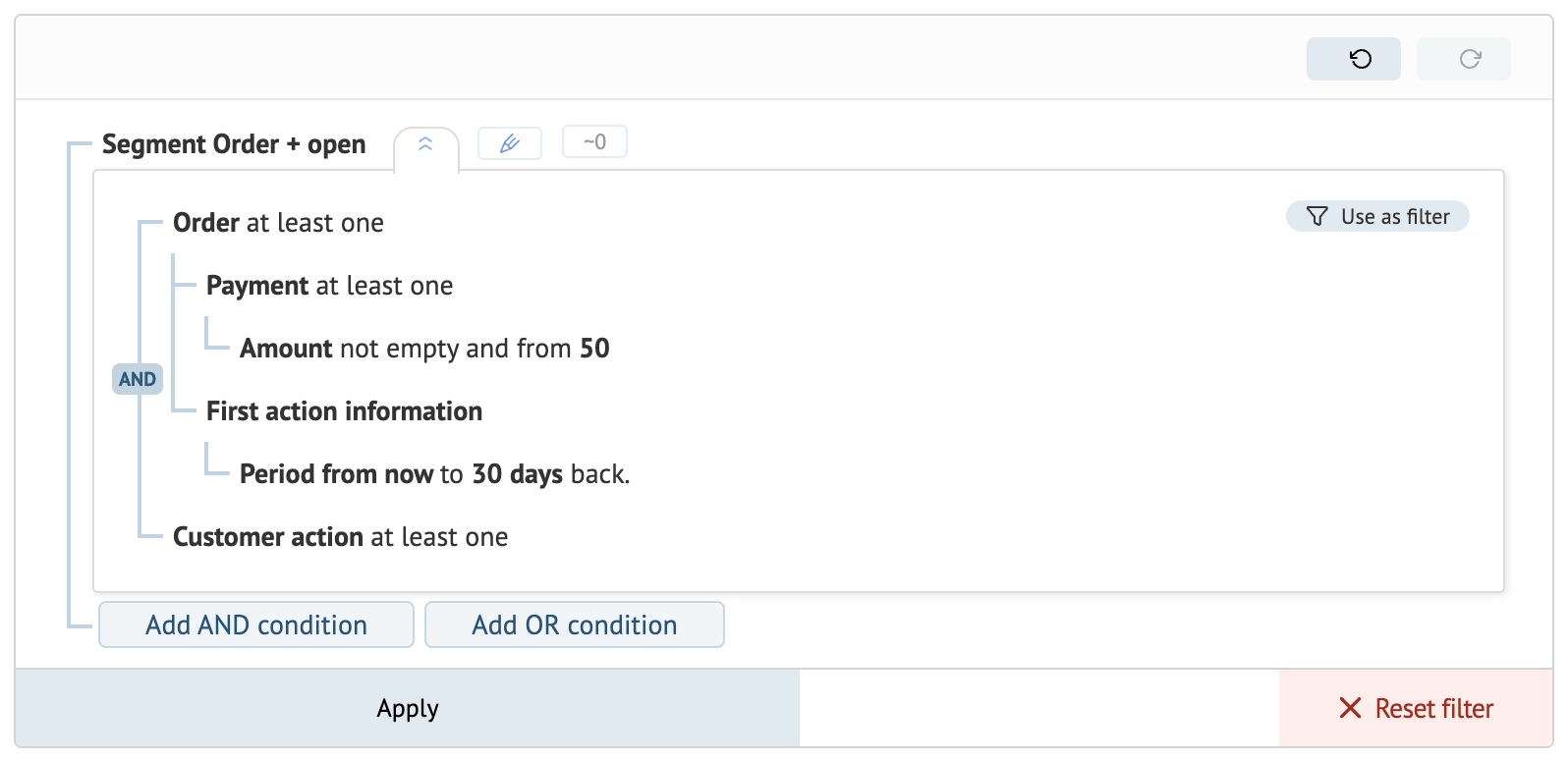
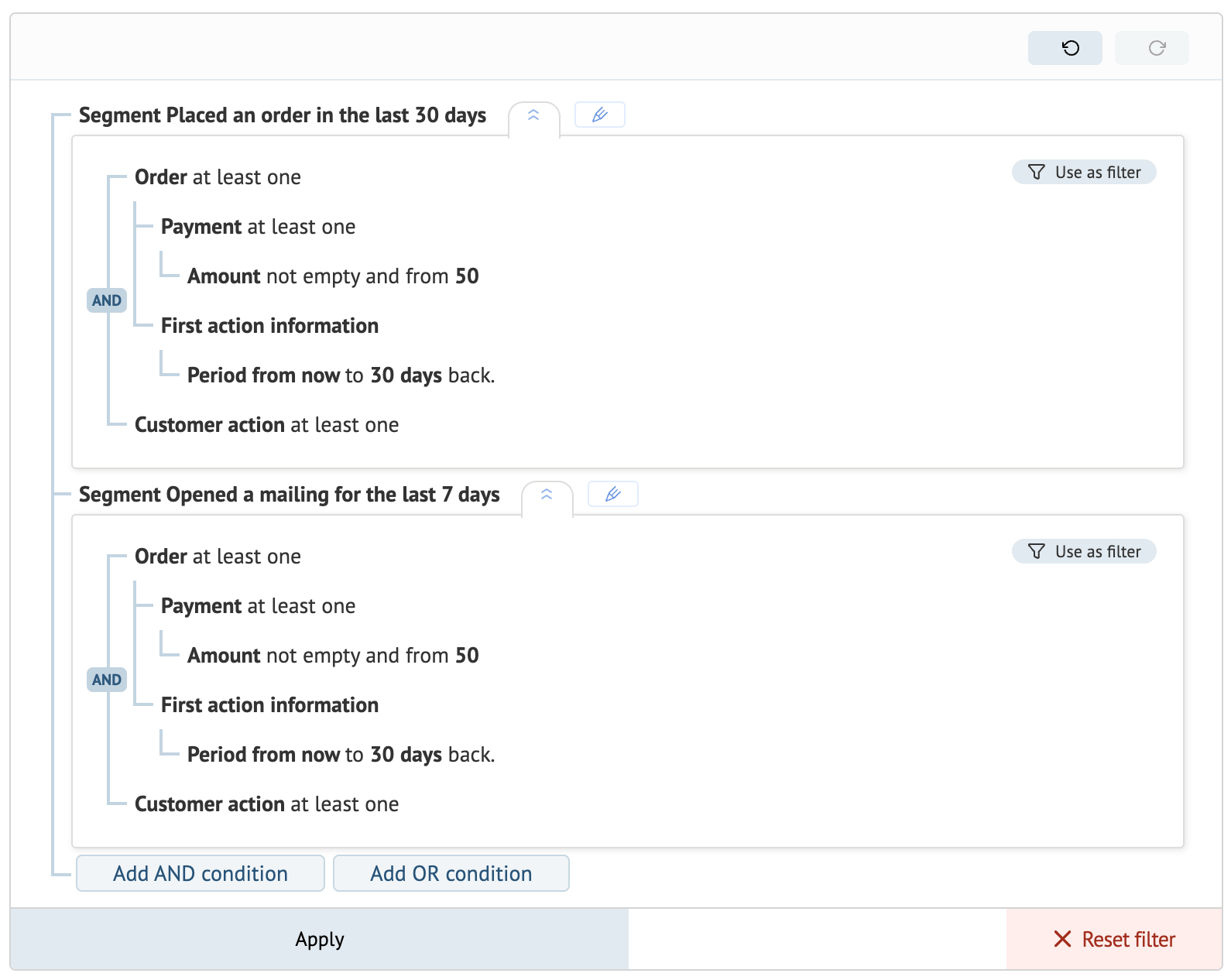
Here, we split the scheduled segment’s complex filter into two separate conditions. The first one contains the order condition, the second one — the action. Then, we created a Scheduled segment for every condition.
You can also select a smaller action template category while choosing “action issued” as an event to update a segment.
Example 1
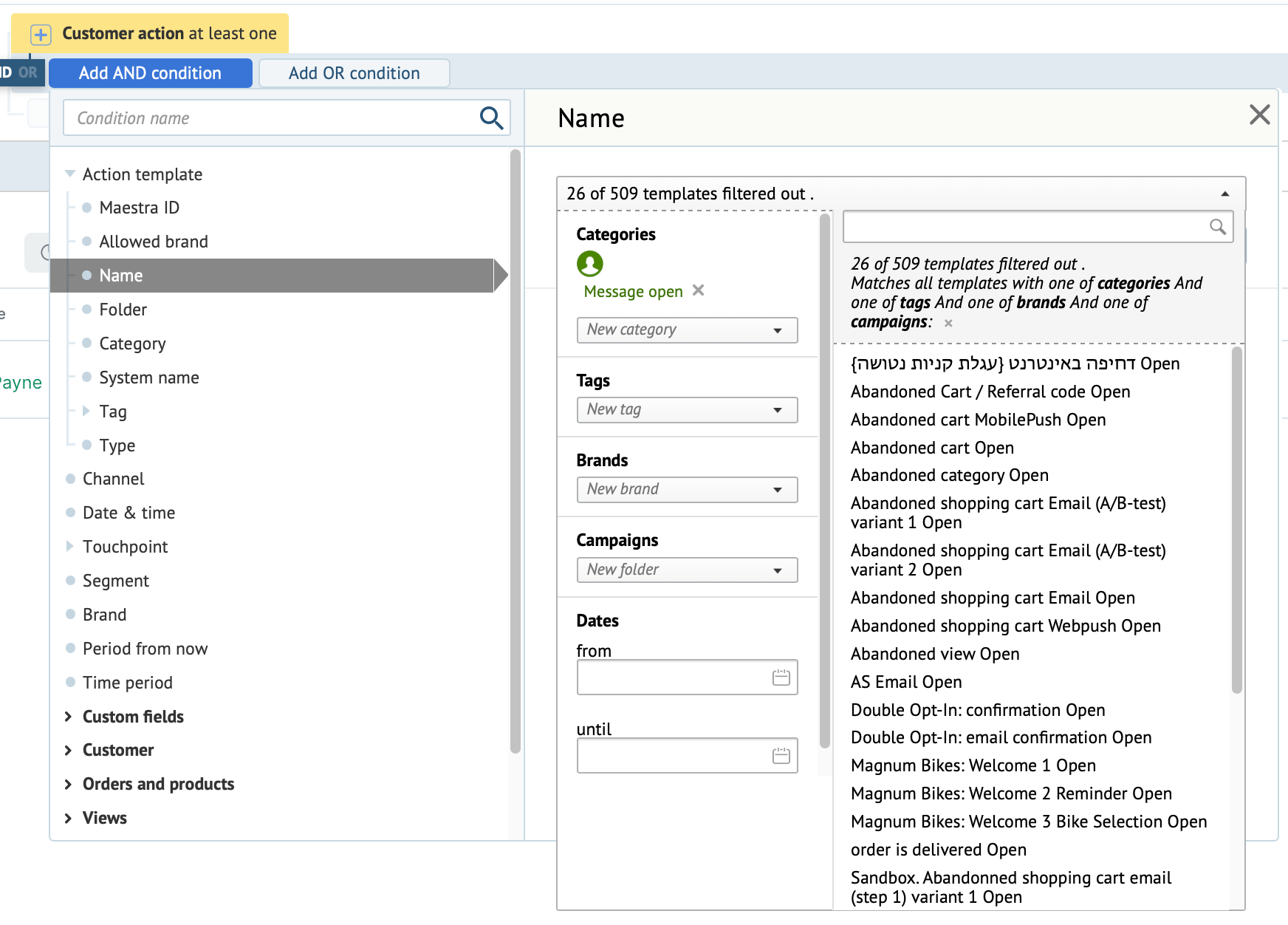
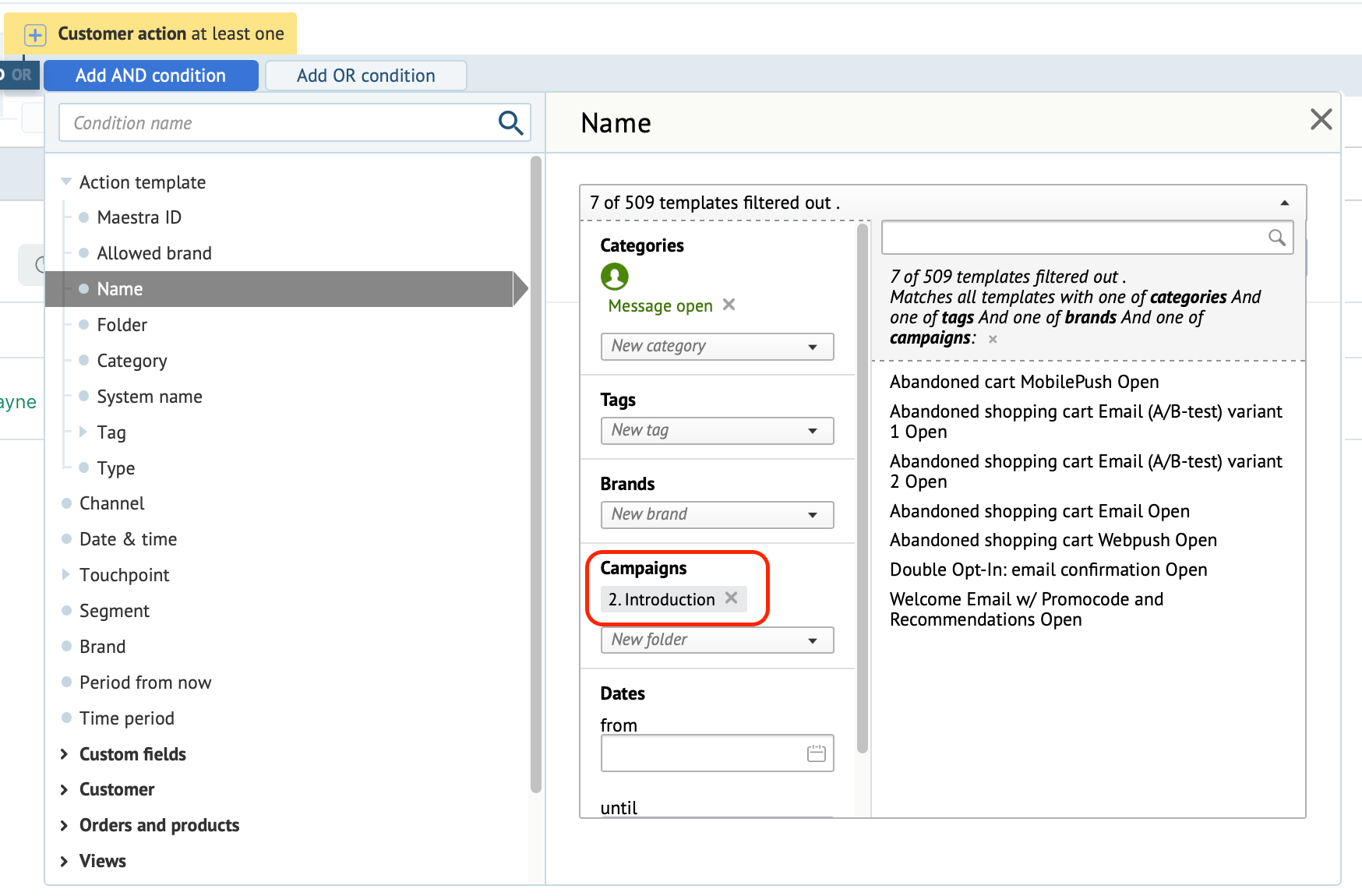
Checking email opens requires going through lots of action templates.
You can significantly reduce the number of templates checked by using a specific campaign to limit the number of templates.
Example 2
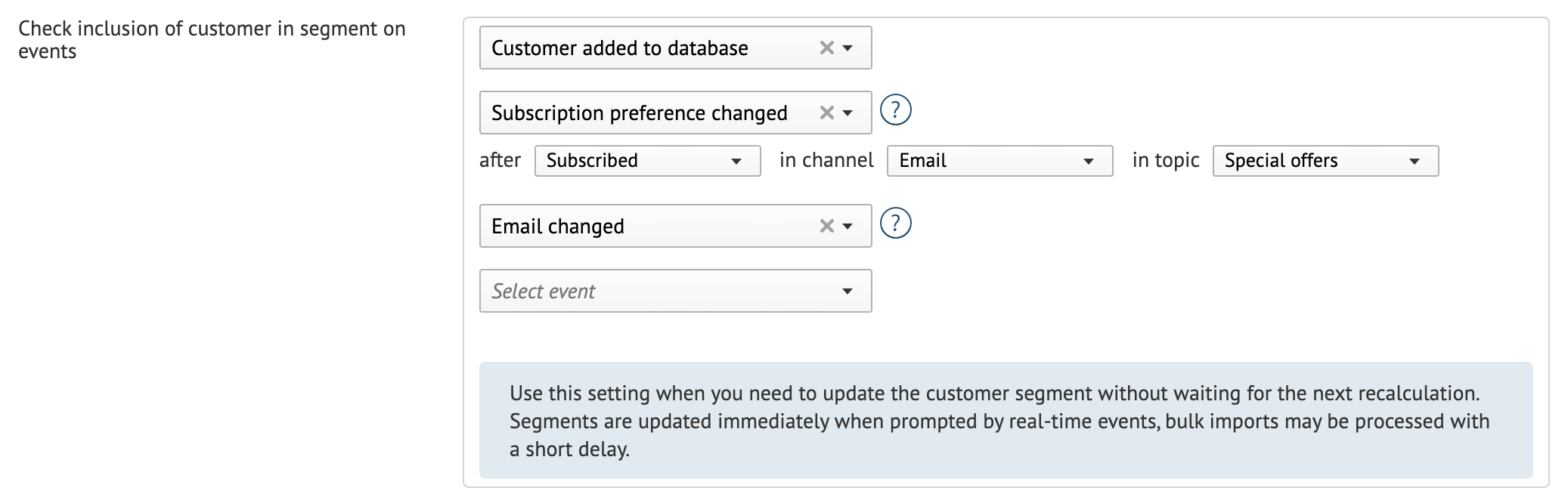
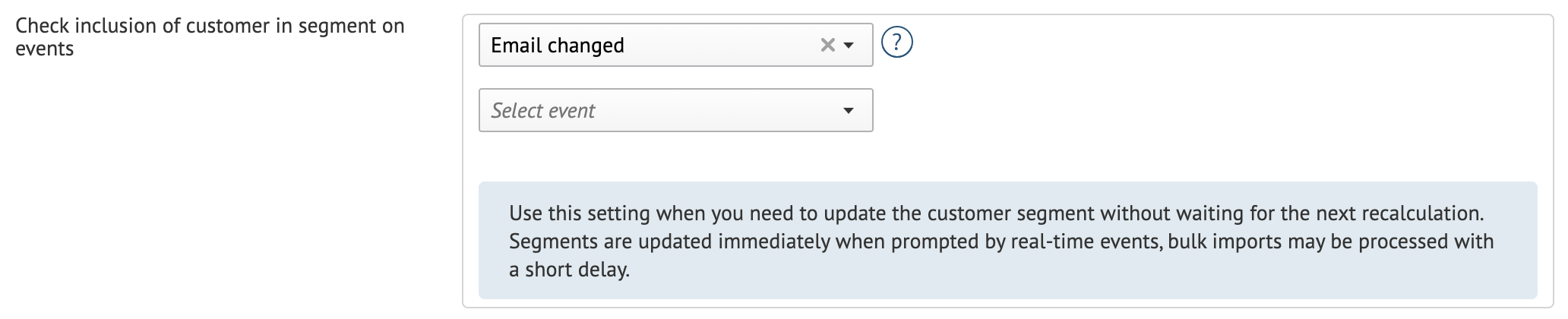
The “before” segment had to check if customers met its conditions each time a customer was added to the database, changed their subscription or email. The selected events made it difficult to update.
In the “after” segment we reduced the number of events, where possible.
If necessary, you can create individual Scheduled segments for each event.